Make Words
MobiloidsWord
4.32.88K Reviews
- Version
- 8.2_appod
- Installs
- 500.00K
- Age Rating
- Teen
Screenshots
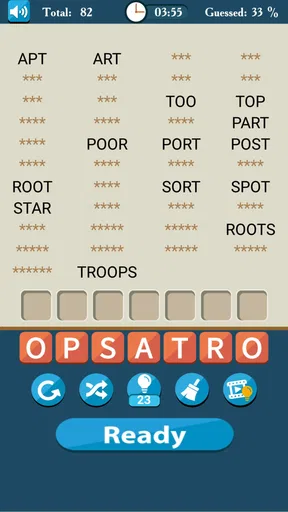
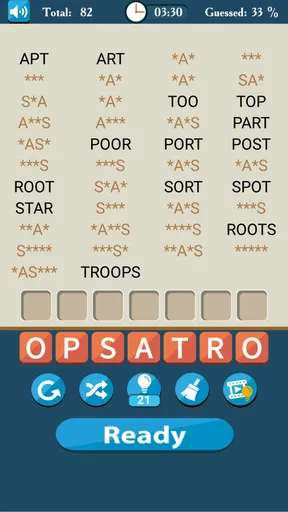
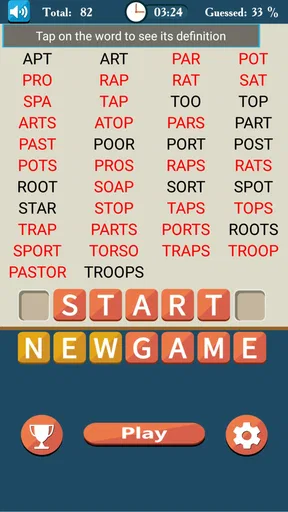
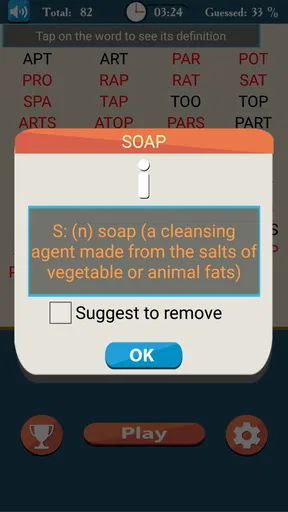
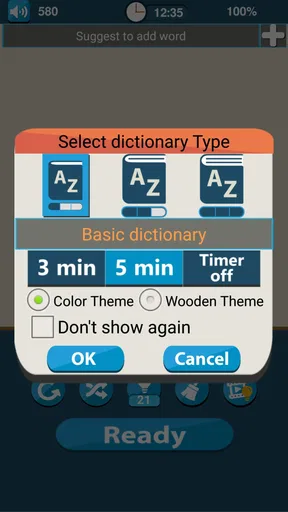
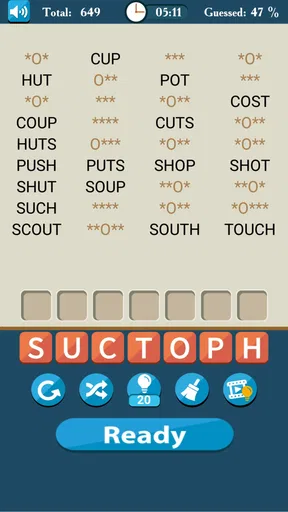
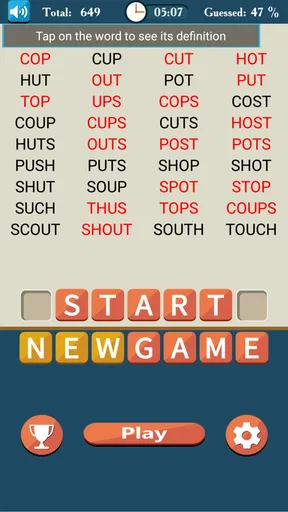
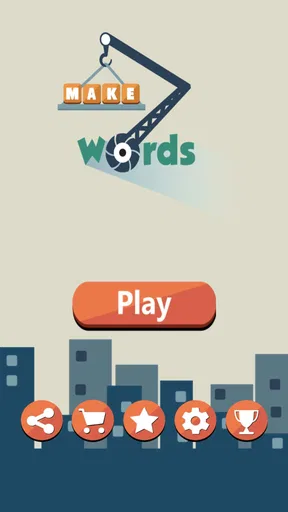
Our Review of Make Words
 Analysis by Appyee
When I have a few unplanned minutes and want something more engaging than scrolling, I look for a puzzle that lets me start immediately and stop without losing track of a bigger story. Make Words fits that narrow but useful role: I work with a set of letters, search for words, and get a small mental challenge without needing to prepare or learn a complicated system. It is a focused word game, not a bundle of unrelated activities, and that focus is both its appeal and the main question to consider before installing it.
My overall view is positive, with one important qualification. This is best treated as a casual vocabulary workout rather than a deep competitive word game. It suits people who enjoy unscrambling, want a light way to exercise word recognition, or prefer short sessions over a long story campaign. If you are looking for elaborate visuals, multiplayer competition, or a highly varied puzzle system, this will probably feel too narrow.
What to look for in a short word game
For me, the first decision is whether rearranging letters is satisfying on its own. Some word games lean on clues, grids, themed levels, or competition to give each answer a wider context. Here, the basic pleasure is noticing a word hidden in a jumble. If that moment of recognition is rewarding to you, the game has a good chance of fitting into your routine; if you need a changing objective to stay engaged, its focused loop may not be enough.
The other useful question is how you want to spend a session. I choose this kind of puzzle when I want to concentrate briefly but do not want the commitment of a long round. Someone looking for a structured lesson, a social match, or an absorbing evening game should judge it by a different standard. Thinking about that before downloading is a better guide than expecting one mobile game to cover every kind of word play.
How the word puzzles feel in everyday play
The basic task is easy to understand: I examine a group of letters and try to rearrange them into words. That low barrier makes the game comfortable for a broad range of players, including anyone who has not played many mobile puzzle games. The challenge comes from moving beyond the first obvious answer and recognizing less immediate combinations.
What I like most is the way the game turns spare minutes into a small language exercise. I can open it while waiting for an appointment, play through a few puzzles during a commute, or use it as a calmer alternative to scrolling through social media. The sessions do not demand the same attention as an action game, but they still give me something concrete to solve.
There is also a useful difference between knowing a word and seeing it inside a scrambled group of letters. In normal conversation, words arrive in order. Here, I have to identify possible beginnings, endings, repeated patterns, and less obvious letter placements. That process makes the game feel more active than simply reading a vocabulary list.
The strongest reason to try it is its immediate, low-pressure access to word practice. I can start without a tutorial-heavy introduction, and the familiar format means I understand the goal almost instantly. That matters on a phone, where a game has to earn my attention quickly.
A practical routine for getting better
At first, I tended to search randomly, moving letters around until something looked right. A better approach is to scan for common combinations before attempting full words. I look for likely endings, short connecting vowels, and letters that often appear together. This reduces wasted moves and makes difficult puzzles feel more manageable.
Another useful habit is to avoid committing too early to the longest word I can imagine. A shorter answer may reveal how the remaining letters are intended to work, and that can make the next solution easier to spot. I found that treating each puzzle as a set of smaller clues works better than staring at the entire letter group at once.
For vocabulary building, I would keep a small note of unfamiliar words rather than immediately moving on. The game can expose gaps in recognition, especially when a word feels familiar but does not come to mind under pressure. Looking those words up afterward turns a quick session into a more deliberate learning routine.
This is one of the less obvious strengths of the format: it can be used in two different ways. I can play for speed and instinct when I want entertainment, or slow down and treat each solution as a vocabulary prompt. The game itself remains simple, but my approach changes the value I get from it.
Where it compares well with other word games
Compared with a crossword, this is more immediate. Crosswords usually depend on clues, general knowledge, and a broader grid structure, while this game focuses my attention on the letters in front of me. That makes it easier to play casually, though it also means I miss the satisfaction of building a connected puzzle across several clues.
Compared with a daily word guessing game, the experience feels less tied to a single shared answer or a once-a-day routine. I can use it whenever I want rather than waiting for a new daily challenge. The trade-off is that it may not create the same sense of occasion or conversation that a daily puzzle can create among friends.
Compared with a large anagram game filled with elaborate bonuses and animated effects, Make Words feels more restrained. That can be an advantage for players who want the letters to remain the focus. It can also be a drawback for anyone who needs constant novelty, dramatic progression, or a strong reward loop to stay interested.
I would describe it as a middle ground between a vocabulary drill and a casual puzzle pastime. It is more interactive than studying word lists, but less expansive than a full-featured word-game collection. That clear identity helps me know when to choose it: I reach for it when I want a compact mental task, not when I want a complete entertainment package.
A small-session game, not a study plan
A practical use is to make it a short transition between tasks. For example, if I am waiting for a meeting to begin, I can solve a puzzle or two, then put the phone away without needing to remember a storyline or manage a long match. If I want the session to teach me something, I can note an unfamiliar answer and revisit it later. That extra step matters: solving a word can test recognition, but it does not automatically teach its meaning or how to use it.
I would not rely on it as a language course. A learner who wants pronunciation, definitions, grammar, or a planned progression will be better served by a dedicated learning resource. The game can still be a useful supplement for someone who already reads English and wants to get quicker at spotting letter patterns, provided unfamiliar words are checked rather than simply guessed and forgotten.
What I found useful for different players
For adults who enjoy wordplay, the game works well as a short break between demanding tasks. I would not call it a replacement for serious language study, but it can make word recognition feel less like homework. It is especially suitable for someone who already enjoys anagrams and wants a simple mobile version without a complicated setup.
It may also suit learners who are comfortable experimenting with English words. The Teen content rating is worth noting for families deciding whether it fits a younger player, but I would still consider the player’s reading level and expectations. A learner may recognize a solution without fully understanding it, so using a dictionary alongside the game can make the experience more educational.
People who prefer relaxing games may appreciate the lack of action-game pressure. On the other hand, players who need audio guidance, story context, or visually rich interaction may find the presentation too plain. The game’s appeal depends heavily on whether the act of finding words is enjoyable by itself.
I would also recommend it to people who want an offline-style mental habit without turning every session into a major commitment, while remembering that the exact experience can depend on the device and current app behavior. The key point is that its value comes from repeatable short challenges, not from a large collection of unrelated systems.
The limitations that affect long-term appeal
The biggest weakness is repetition. Once I understand the core loop, every puzzle asks me to engage with the same kind of problem. That consistency is helpful when I want something familiar, but it can become predictable if I play for long stretches. I would rather use it in short sessions than attempt a lengthy marathon.
The game also depends on my personal vocabulary. When I cannot solve a puzzle, the obstacle may be genuine difficulty, an unfamiliar word, or simply a momentary failure to see a common arrangement. That uncertainty can be satisfying when I eventually find the answer, but it can also feel arbitrary when I have no useful clue to guide me.
Players who enjoy strategic planning may find the mechanics limited. There is a small amount of pattern recognition and decision-making, but the central challenge remains word discovery. It does not offer the same kind of layered planning I would expect from a board-style word game, nor the social energy of a live match.
The free price makes it easy to try, although in-app purchases range from $0.99 to $15.99 per item. I would keep that in mind before handing the game to a child or leaving purchases unrestricted. For my own use, the important question is whether the free experience already provides enough enjoyable play; people who dislike optional spending prompts may want to pay attention to how those appear during use.
Another consideration is device compatibility. The current version is 8.2_appod and requires Android 6.0 or later. That covers many older devices, but anyone using an especially old phone should check compatibility before planning around it. I also noticed that a simple game like this benefits from a responsive screen: if letter selection feels delayed or cramped, the otherwise clean concept becomes less comfortable.
Choosing between this and a broader alternative
If I want a connected set of clues, I would choose a crossword instead; if I want to compare answers or share a competitive moment, a social word game is a more natural fit. A vocabulary app is the clearer choice when I need definitions and a learning path. Those alternatives are not automatically better—they simply solve different problems. Make Words is strongest when I want the letters themselves to be the puzzle and do not need extra context around them.
There is also a switching trade-off. Moving to a crossword means spending more time interpreting clues and following a grid, while switching to a competitive game adds another person’s pace and expectations. Staying with this game keeps the task self-contained, but I accept that it will not supply those other forms of variety. I would keep it as a quick option rather than expect it to replace every word activity on my phone.
Who should install it, and who should skip it
I think Make Words is a good fit for casual puzzle fans, vocabulary enthusiasts, students who enjoy learning through repetition, and anyone who wants a quick activity that does not require a long story or complicated controls. The developer, Mobiloids, has kept the central idea clear enough that I can recommend it to a friend who wants something easy to understand.
I would be more hesitant to recommend it to someone who quickly loses interest without progression systems, social competition, or frequent changes in gameplay. It is also not my first choice for a player seeking rigorous language instruction. A dedicated vocabulary course would offer clearer explanations and structured learning, while a crossword or competitive word game would provide a richer sense of context or rivalry.
For a household, the Teen rating should be part of the decision, even though the basic concept is approachable. I would let the intended player try a few rounds and decide whether the word difficulty feels motivating rather than frustrating. The game is at its best when the player enjoys thinking through a puzzle, not when every unfamiliar answer feels like a barrier.
Its audience reach is reflected in an average rating of 4.3 from around 13 thousand ratings, with over 500 thousand installs. Those figures suggest a substantial group of people find the format worthwhile, but they do not change my main advice: choose it for its focused wordplay, not because it promises a broad range of game types.
My final recommendation
I came away from Make Words appreciating its restraint. It does one thing clearly and makes that one thing easy to return to. The game gives me a useful little pause in the day, and with a more deliberate approach, I can turn its letter puzzles into a modest vocabulary exercise rather than simply tapping through them.
Its weaknesses are equally clear. The repeated format may wear thin, the lack of richer context can make some answers feel opaque, and players wanting social or strategic depth should look elsewhere. The free entry point is appealing, but I would still watch in-app purchases, particularly on a shared device.
After a long presence on mobile, having released on Dec 25, 2011, it remains a sensible choice for a specific kind of player: someone who likes anagrams, wants short sessions, and values a clean mental challenge over spectacle. I recommend trying it if that description sounds like you. For focused, bite-sized word practice, it earns a place on my phone; for a varied all-purpose puzzle game, I would choose a broader alternative.
Verdict
Strengths of Make Words
- Simple interface makes it easy to start playing immediately.
- Short word puzzles are convenient for quick gaming sessions.
- Helpful hints can assist when you get stuck on a difficult word.
- Progress tracking encourages regular play and personal improvement.
- Suitable for players who enjoy relaxed vocabulary challenges.
Limitations of Make Words
- Some puzzles may feel repetitive after extended play.
- Higher levels can become frustrating without using hints.
- The game may offer limited appeal to non-English speakers.
- Ads can interrupt the experience between puzzles.
- Players seeking action or complex gameplay may find it too simple.
Similar Picks in This Category
View All
Word Search - Word Puzzle Game
Bluetile4.8

Word Search Quest - Puzzles
Blackout Lab4.8

CodyCross: Crossword Puzzles
Fanatee, Inc.4.7

Words of Wonders: Crossword
Fugo Games4.9

Wordscapes: Word puzzle game
PeopleFun4.7

Word Search Explorer
PlaySimple Games4.9
Frequently Asked Questions
What is Make Words and how does the game work?
Make Words is a word puzzle game focused on forming words from a selection of available letters. During gameplay, you normally arrange, connect, or select letters to complete the required words and progress through levels. The difficulty can increase as you advance, introducing longer words, fewer hints, or more challenging letter combinations. It is designed for short, casual sessions as well as longer vocabulary-focused play.
Is Make Words suitable for beginners and younger players?
Make Words is generally approachable for beginners because the basic objective is easy to understand: identify and create valid words using the letters provided. However, some levels may require a broader vocabulary or careful thinking, so younger players may occasionally need help. Parents should also check the app’s age rating, advertising content, privacy information, and whether external purchases are available before allowing children to use it.
Does Make Words require an internet connection to play?
The availability of offline play can depend on the specific version of Make Words and the device being used. Core puzzle levels may work without a constant connection after installation, but features such as advertisements, cloud synchronization, leaderboards, updates, or reward systems may require internet access. If offline gaming is important to you, test the app in airplane mode after downloading it and review its current store description.
Are there hints, advertisements, or in-app purchases in Make Words?
Make Words may include optional assistance features such as hints, extra attempts, or other rewards to help players solve difficult puzzles. Free versions of word games commonly display advertisements, while in-app purchases may be offered to remove ads or obtain additional resources. The exact options can vary by platform and update, so review the Google Play or App Store listing and purchase settings before spending money.
What should I check before downloading Make Words?
Before downloading Make Words, check that your Android or iOS device meets the current compatibility requirements and has enough available storage. It is also worth reviewing recent user ratings, the developer’s privacy policy, requested permissions, advertising disclosures, and the date of the latest update. If you dislike timed gameplay, frequent ads, or paid hints, confirm how those features work so the experience matches your expectations.
Play our best games!


